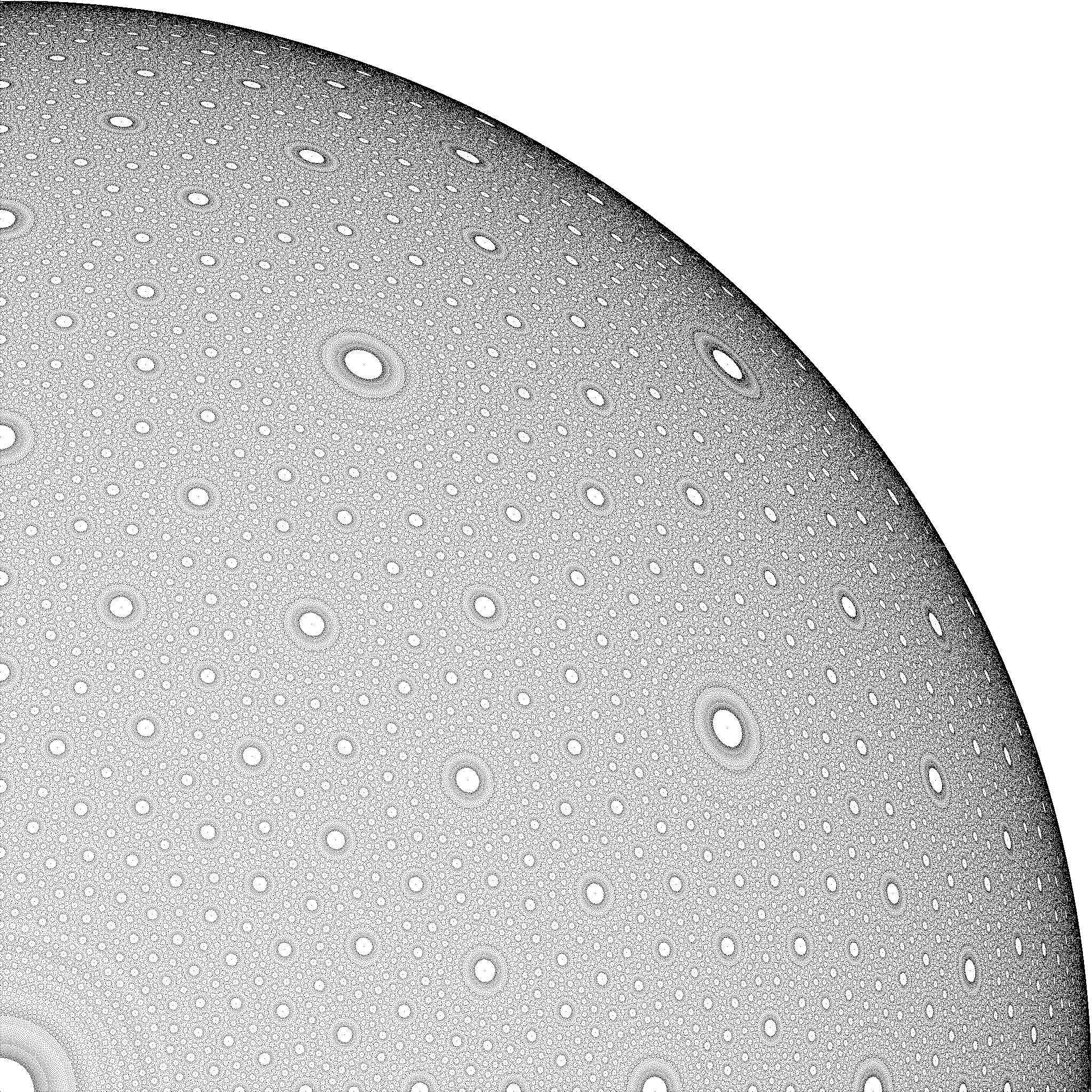
I found this picture on mathoverflow, which I find very intriguing and so I like to know how to draw such an image with a simple computer program.
To calculate the rational point, I can draw a line from P_0(0,0,1) and P_1(u,v,0) and calculate the intersection with the sphere as follows:
\begin{equation} x=\frac{2u}{u^2+v^2+1};y=\frac{2v}{u^2+v^2+1};z=\frac{u^2+v^2-1}{u^2+v^2+1} \end{equation}
So the intersection coordinates are rational numbers where
\begin{equation} a=2u;b=2v;c=u^2+v^2-1;d=u^2+v^2+1 \end{equation}
with
\begin{equation} a^2+b^2+c^2=d^2 \end{equation}
If I understand correctly the guy who posted the picture he would mark the points depending on the value of d. So a value of d below a certain threshold would override the pixel color to white.
Now inside a program we would loop through all pixels along the x and y axis using the following algorithm:
for(int y = 0; y < height; ++y)
{
    for(int x = 0; x < width; ++x)
    {
        // does pixel ray intersect with sphere?
        // using orthgraphic projection ( all rays are parallel ) of
        // sphere with radius of image height
        if(intersect(sphere,x,y))
        {
            // calculate the distance of the intersection of
            // pixel ray and sphere
            double z = calc_distance(sphere,x,y);

            // the further away the darker the color
            rgb_color color = make_color(z);

            // calculate d
            // the gcd of a,b,c,d will be used to make d as small as possible
            int d = calculate_denominator(x,y)

            // 100 is made up
            if(d < 100)
            {
                color = white;
            }

            set_pixel(img,x,y,color);
        }
    }
}
Could someone help in correcting my algorithm?



sizeis the size of the image, in pixels, Actually one less, since coordinates range from0tosizeinclusive. I never ran this C code, but I ran its Python analog in sage, and posted that here. – MvG Aug 31 '14 at 19:23