3

enter image description here

ImageView connect = (ImageView) findViewById(R.id.fconnect);
    connect.setOnClickListener(new View.OnClickListener() {
        public void onClick(View view) {
        facebook.authorize(SignIn.this, new String[] {"offline_access", "email", "read_friendlists","publish_stream" },new DialogListener() {
@Override
public void onComplete(Bundle values) {
String AccessToken = facebook.getAccessToken();
                    LoginDirect = "Loading Home....";
                    LoginProcessChkUserStatus();
                }

                @Override
                public void onFacebookError(FacebookError error) {
                }

                @Override
                public void onError(DialogError e) {
                }

                @Override
                public void onCancel() {
                }
            });
        }else{
            progress = true;
            LoginProcessChkUserStatus();
        }


        }
    });

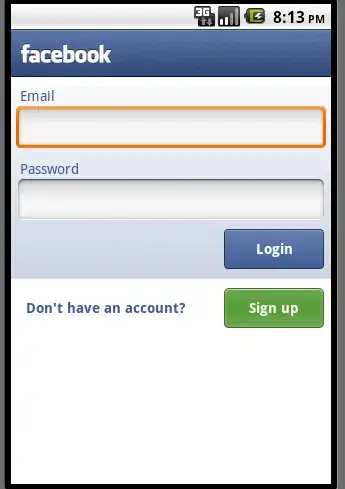
this the facebook api....that i use for loading in my application...this works fine...when i click login button...after authorizing it comes to oncomplete stage... now the problem comes when i installed separtely Facebook.apk in my phone taken from Facebook SDK....the view becomes this....also when i click login button it never excutes the above code....what shall i do...???
enter image description here

Shankar Agarwal
  • 34,573
  • 7
  • 66
  • 64
Rockin
  • 723
  • 4
  • 25
  • 51

2 Answers2

3

I have also faced some similar issue when I have integrated facebook with my application. when I am clicking the facebook icon in my application native facebook app was launched and when I uninstalled that native facebook app all were working correctly. I figured a way out to overcome this issue by the following method and I have posted it on below link on stackoverflow: "An error's occurred" when authenticating with Facebook's android sdk . Actually my problem was, when I used the debug key, the Key Hash value I entered was wrong in the facebook app register. When I corrected the key hash according to what I have posted in the above link my issue was solved. Please try this also.

Community
  • 1
  • 1
Basil
  • 2,163
  • 2
  • 16
  • 25
  • yes thanks you were right...i have sent links to create the proper way of hash..key.. http://www.helloandroid.com/tutorials/using-facebook-sdk-android-development-part-1 http://www.helloandroid.com/tutorials/using-facebook-sdk-android-development-part-2 – Rockin Jul 05 '11 at 10:41
2

The changing of screens is normal. If you have the Facebook app installed, the SDK uses this to log in. If not, it uses a WebView for authentication (as seen on your first screenshot).

And why does this not work? The Facebook app uses result codes from Androids activity mechanism. I dont see onActivityResult() in your code. Make sure to have that implemented in your activity. It should look like this:

@Override
public void onActivityResult(int requestCode, int resultCode, Intent data) {
    super.onActivityResult(requestCode, resultCode, data);
    facebook.authorizeCallback(requestCode, resultCode, data);
}

After that, your code should work as intended. :)

  • @alexstc...i have added acitivity result...but still works the same....it never comes to oncomplete... – Rockin Jul 03 '11 at 09:21
  • Does your code execute onError(), onFacebookError() or onCancel()? Just put a debug log there and see. Maybe theres an internal error which gets returned there. –  Jul 03 '11 at 11:58
  • no dude my code works fine ...if uninstall the Facebook.apk..I dont have any problem with the code... – Rockin Jul 03 '11 at 13:54
  • Also it never exceutes....Oncomplete() nError(), onFacebookError() or onCancel()..after installing Facebook.apk – Rockin Jul 04 '11 at 05:31