The export_fig is macro fro exporting figures to various file formats. With GhostScript installed it can export directly in pdf format. One can download it form File Exchange.
Using
export_fig('foo','-pdf','-nocrop')
it produces this result (Screenshot of Adobe Acrobat):

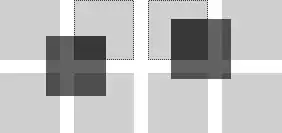
If you look closer, you can see the edges of triangulation (lines of "missing pixels") in result of surf plot and segmentation of contour plot in second picture.
You can see that rasterisation occurs in last step (PrintScreen in this case) so the resulting pdf is composed of segments in vector format thus labels, axes and results of line plot will be in vector
If this pdf is exported to bitmap, say png, those "missing" pixels vanish and do does the "see-through" effect from first image. See (Adobe Acrobat 9 Pro; Interlace: Adam7, Filter: adaptive)
resolution 300 px/in (image with resolution 2400 px/in is too large)
resolution 2400 px/in

Plot was generated by code from this answer.


