10

While tinkering with image editing, I thought I might implement a contrast algorithm; something that would take a range of values and, based on the value that the user provides (from 0 to 255; the range of a byte) the contrast will be decreased or increased. I've looked online for "contrast algorithm" and I can't seem to find anything.

As far as personal effort, I've given it a shot.

To increase the contrast, a margin is removed from the low and high end of the range. The low end is shifted down by that margin to become 0. The high end is scaled up by the margin * 2.

To decrease the contrast, a margin is removed from the center of the range. The low and high ends of the range are "stretched" to fit the lost area.

But I have no idea if this formula is mathematically sound. When I implemented it, I got strange results:
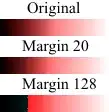
The range clamps to 0 or 255

Can you identify what I did wrong here or at least provide links to contrast formulas or that which I need to acquire them?

1 Answers1

20

You should find plenty of resources (like this and this) by searching for "image processing" in addition to "contrast".

The basic contrast and brightness adjustments are transformations of the form $$ f(x) = \alpha x + \beta $$ (with the result rounded to an integer and clamped to the range $[0,255]$.). Here $x$ is a color component value (R,G or B). The slope $\alpha$ controls contrast ($\alpha > 1$ means more contrast and $0 < \alpha < 1$ less contrast). For easier separation of "brightness" and "contrast" modifications, the formula can be written like $$ f(x) = \alpha (x - 128) + 128 + b $$ where $b$ controls brightness.

More complex contrast adjustments can be done using a arbitrary "curves" $f : [0,255] \to [0,255]$, which are be provided by the user of the image processing software using graphical tools, see e.g. this link.

oseiskar
  • 391
  • Thanks for the help. I think you might've accidentally linked to the same thing twice for 'this' and 'this'. – kettlecrab Aug 22 '14 at 21:47
  • 1
    Good point. The second link was supposed to be (and is now changed to) http://docs.opencv.org/doc/tutorials/core/basic_linear_transform/basic_linear_transform.html – oseiskar Aug 23 '14 at 07:56