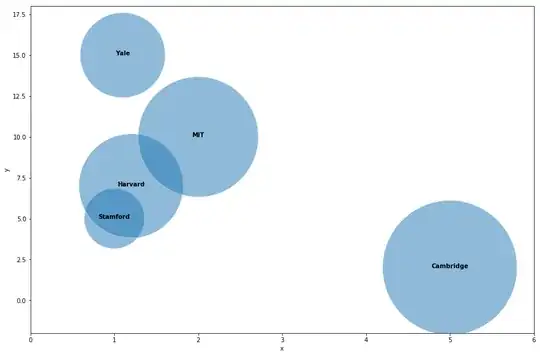
You can use the seaborn package, using the scatterplot marker size to generate your bubbles. Then you need to loop over the datapoints and add a text labet to each point in your scatterplot.
# Load libraries
import pandas as pd
import matplotlib.pylab as plt
import seaborn as sns

# Create example dataframe
df = pd.DataFrame({
'x': [1, 1.1, 1.2, 2, 5],
'y': [5, 15, 7, 10, 2],
's': [10000,20000,30000,40000,50000],
'group': ['Stamford','Yale','Harvard','MIT','Cambridge']
})

#Create figure
plt.figure(figsize = (15,10))

# Create scatterplot. alpha controls the opacity and s controls the size.
ax = sns.scatterplot(df.x, df.y, alpha = 0.5,s = df.s)

ax.set_xlim(0,6)
ax.set_ylim(-2, 18)

#For each point, we add a text inside the bubble
for line in range(0,df.shape[0]):
     ax.text(df.x[line], df.y[line], df.group[line], horizontalalignment='center', size='medium', color='black', weight='semibold')
Which outputs: