19

I want to create parts for a 3D printer using OpenSCAD. Having some STL files from the vendor, but nothing else (no technical drawing, no CAD files).

Does anybody knows a free tool, that allows me to

  • measure distances between 2 selected vertices,
  • measure distances between a selected vertex and a plane defined by 3 vertices,
  • measure the radio of a circle defined by 3 selected vertices?

I very much like the way Blender allows to work with meshes, especially select vertices or planes, but unfortunately haven't found a way to measure with Blender.

Trish
  • 22,760
  • 13
  • 53
  • 106
Thomas S.
  • 933
  • 5
  • 10
  • 21

7 Answers7

18

I suggest Blender. It's not the simplest of tools but it is free and learning it will improve your 3D printing skills. :-) (I write this answer also for future viewers of this question so I start basic).

Another answer can be found here, How do I measure a distance between two points?

  1. Import your STL file.
  2. Press the Home key to view everything.
  3. Select the model by clicking on it with your left mouse button. (Blender changed to left-click-select as of version 2.80)
  4. Hit tab to enter edit-mode.
  5. Press N (or use View | Properties) until the Properties panel shows up.
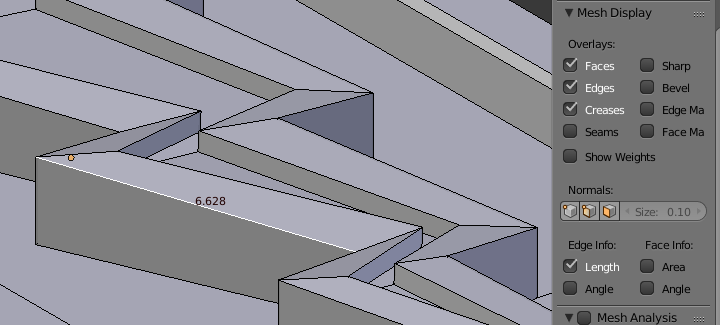
  6. Select the "Length" checkbox in the "Edge Info" section of the Properties panel (see image below).
  7. Select "Edge Select" mode (see image below)
  8. Select the edge to measure by clicking on it with your right mouse button.

Edge length

Screenshot of toolbar

If you need to measure the distance between to vertices with no edge. Create the edge by selecting them and pressing F. If you need to measure the distance between a vertex and any other point, select it and press E to extrude.

Greenonline
  • 6,748
  • 8
  • 40
  • 68
Gunslinger
  • 702
  • 5
  • 12
3

As @Gunslinger suggested, I would also recommend Blender for these tasks.

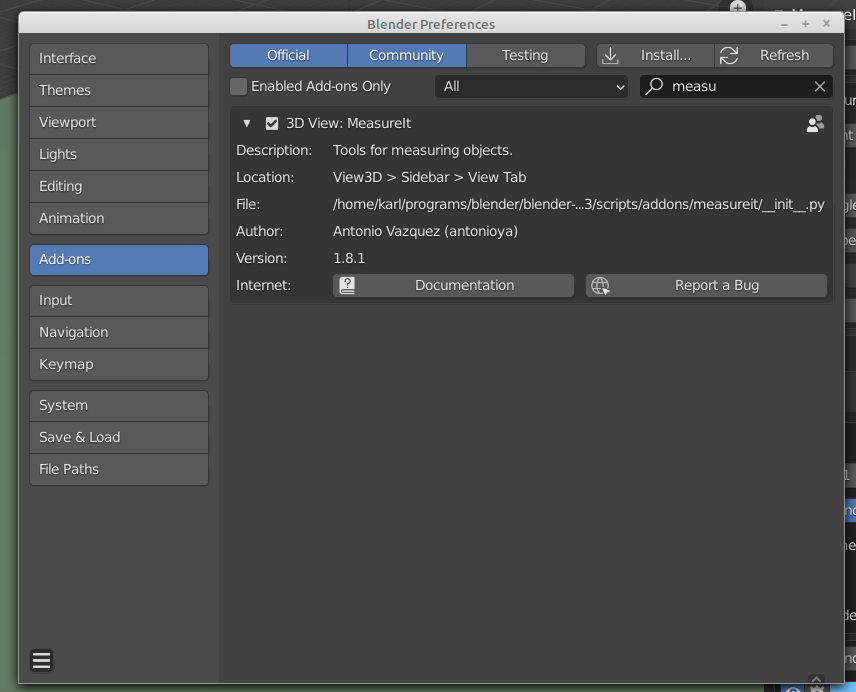
Blender comes with the Add-on "MeasureIt", which has to be activated manually in Edit ► Preferences ► Add-ons ► Official/Community ► search for MeasureIt, check the checkbox:

Blender preferences

Import your STL file via File ► Import ► STL ► ...

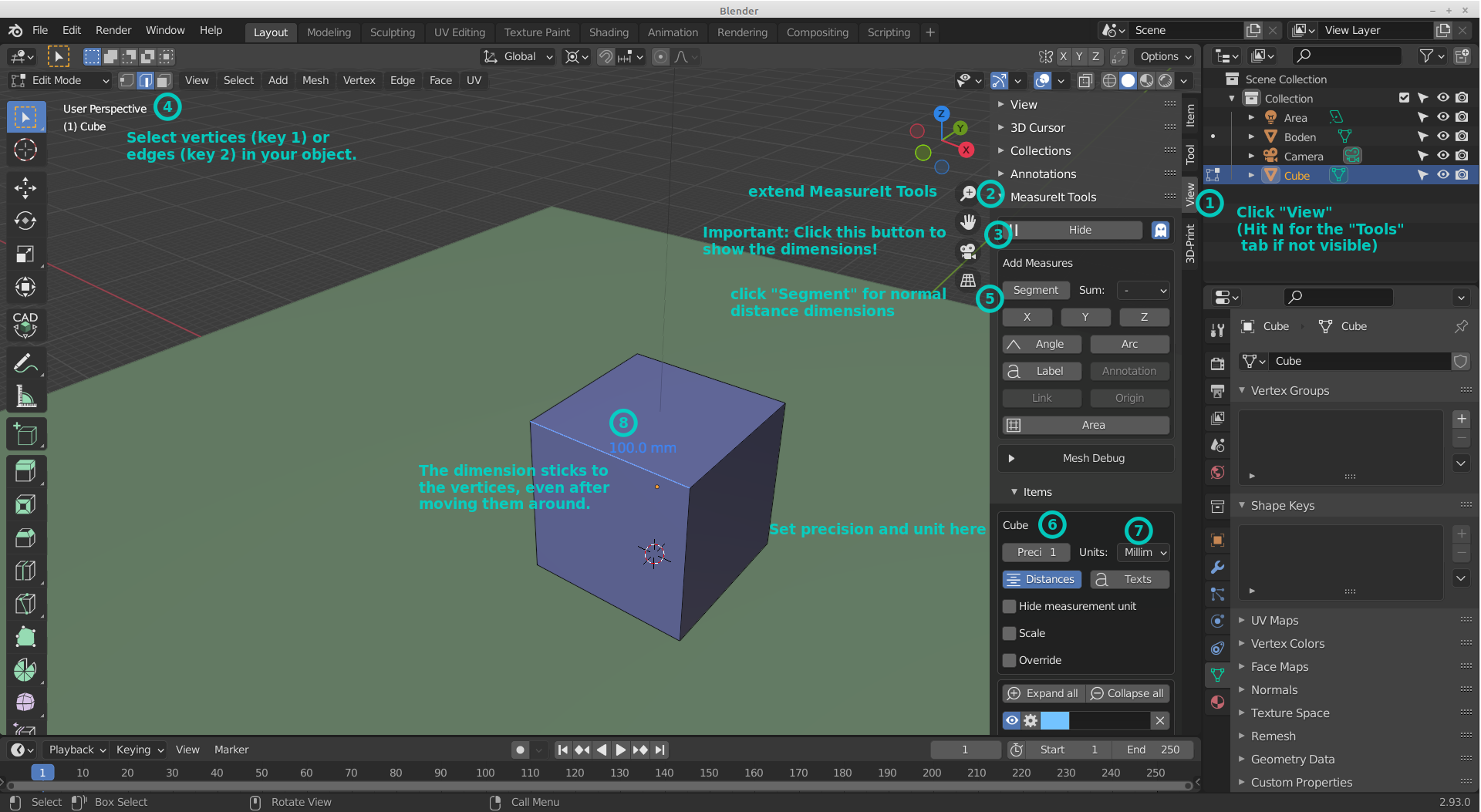
Select your object and hit TAB to enter Edit Mode and then follow the tips in this screenshot:

Screenshot

Greenonline
  • 6,748
  • 8
  • 40
  • 68
3

Use Meshy "...a WebGL-based tool that does measurements and simple transformations on STL and OBJ files.": https://0x00019913.github.io/meshy/

Baldee
  • 31
  • 1
2

If you're running Windows, MS 3D Builder has a measuring tool and may already be installed on your machine.

Joel Coehoorn
  • 2,720
  • 4
  • 19
  • 34
2

Meshmixer has various measuring tools for STLs as well

FarO
  • 4,610
  • 21
  • 39
0

That is great. You can also do the 3D model measurements using SelfCAD software. I can confidently recommend to all users because it is suitable for both 3D artists and beginners. The software has a built-in Measurement Tool that allows users to accurately measure the size of 3D models. The tool can be used to measure the length, width, height, and angle of a 3D model. To use the Measurement Tool, users simply select the part of the model that they want to measure and then move the pointer to the desired measurement point. The Measurement Tool will then display the measurements in the software’s measurement panel. Check this video on how to do the measurements of 3D models using SelfCAD

-1

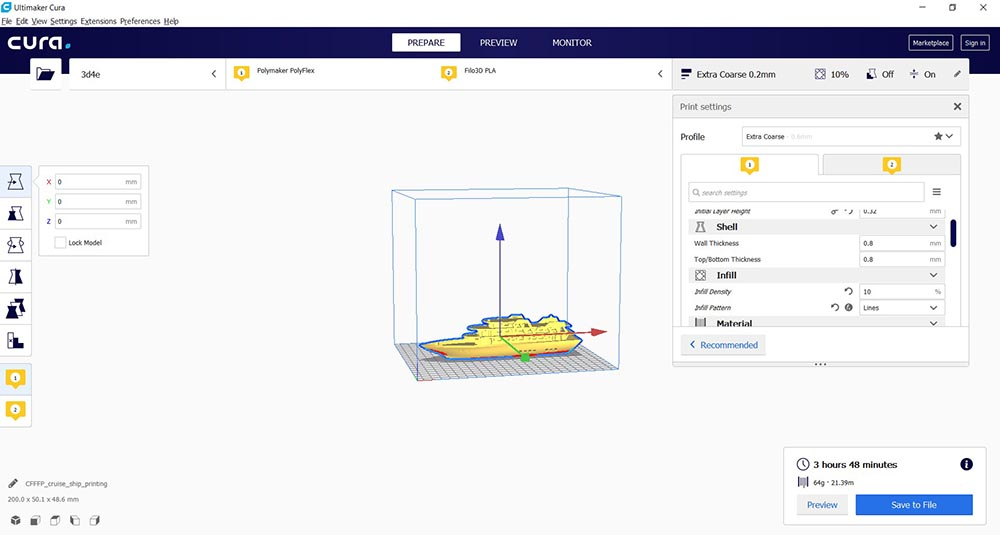
I recommend Ultimaker Cura 4.3 for dimensioning.

You can access it here.

Screenshot of Cura

As can be seen, detailed measurements can be made over the specified coordinates.

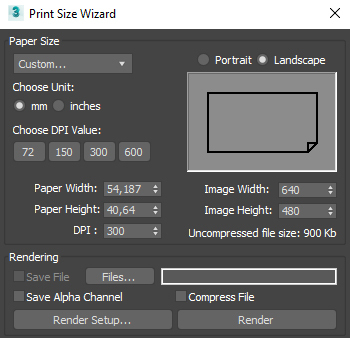
Screenshot of Print Size Wizard

However, you can make an accurate dimensioning by using the Render program. I recommend doing this before working on the STL file.

I wish you good work.

Greenonline
  • 6,748
  • 8
  • 40
  • 68