I'm trying to print with Laybrick and for the most part it is going. The problem lies with the top layer and gaps appearing. I've tried increasing the number of top layers but the gaps still appear. Any ideas what else I can try?
2 Answers
When using Simplify3D, you may try referring to their awesome troubleshooting guide: https://www.simplify3d.com/support/print-quality-troubleshooting/#holes-and-gaps-in-the-top-layers 3 reasons (from the guide) for gaps in the top layers:
under-extrusion: you may try to increase extrusion multiplier to see if this helps
low infill percentage: not likely in your case if increasing number of top layers did not help
not enough top layers: you already tried increasing number of top layers.
In addition to that, you may change certain parameters (such as extrusion multiplier) for a given number of layers by using Simplify3D features. It can be helpful to avoid problems to for the rest of the model.
- 898
- 6
- 13
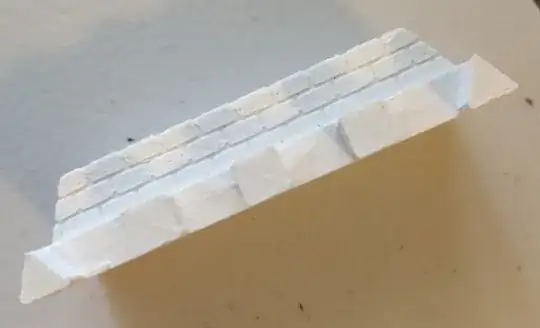
The solution was a combination of several items. The primary one was slowing down the top layer of the print significantly. I was using 3200 mm/min for the print and used the option 'solid fill underspeed' to slow down the top layers to 40%. I increased the top layers to 7. I also increased the infill, to ensure there was support in the tiny top pieces. I also decreased the minimum infill length to 0 to ensure the infill went in tiny places. Finally, I used the 'Concentric' external fill pattern.
At some rotations of the model, I had slight gaps in the corners of the model, increasing the number of outline layers fixed it.
I also decreased the temp to 160 compared to the initial print above.
- 427
- 1
- 3
- 13

