I just started resin printing in order to build enclosures for my little microcontroller projects. Sadly, I am having trouble getting good, planar, rectangular objects to print.
Background: I have no prior experience with filament or resin printing. I chose resin over filament for its higher precision, which I will need in future projects. I bought a well-recommended, popular 4K monochrome LCD printer. I was unwise in selecting a translucent resin for my learning-curve projects, but the first project required color. (Note to self: try paint.)
My first three prints were throw-aways as I learned the essentials. The first print was pretty encouraging, but I used no supports (the first 'essential') and it split during removal from the adhesion plate. The next two suffered drop-outs due to underexposure; a careful cleaning of the FEP was done after each to remove the pancaked material left behind.
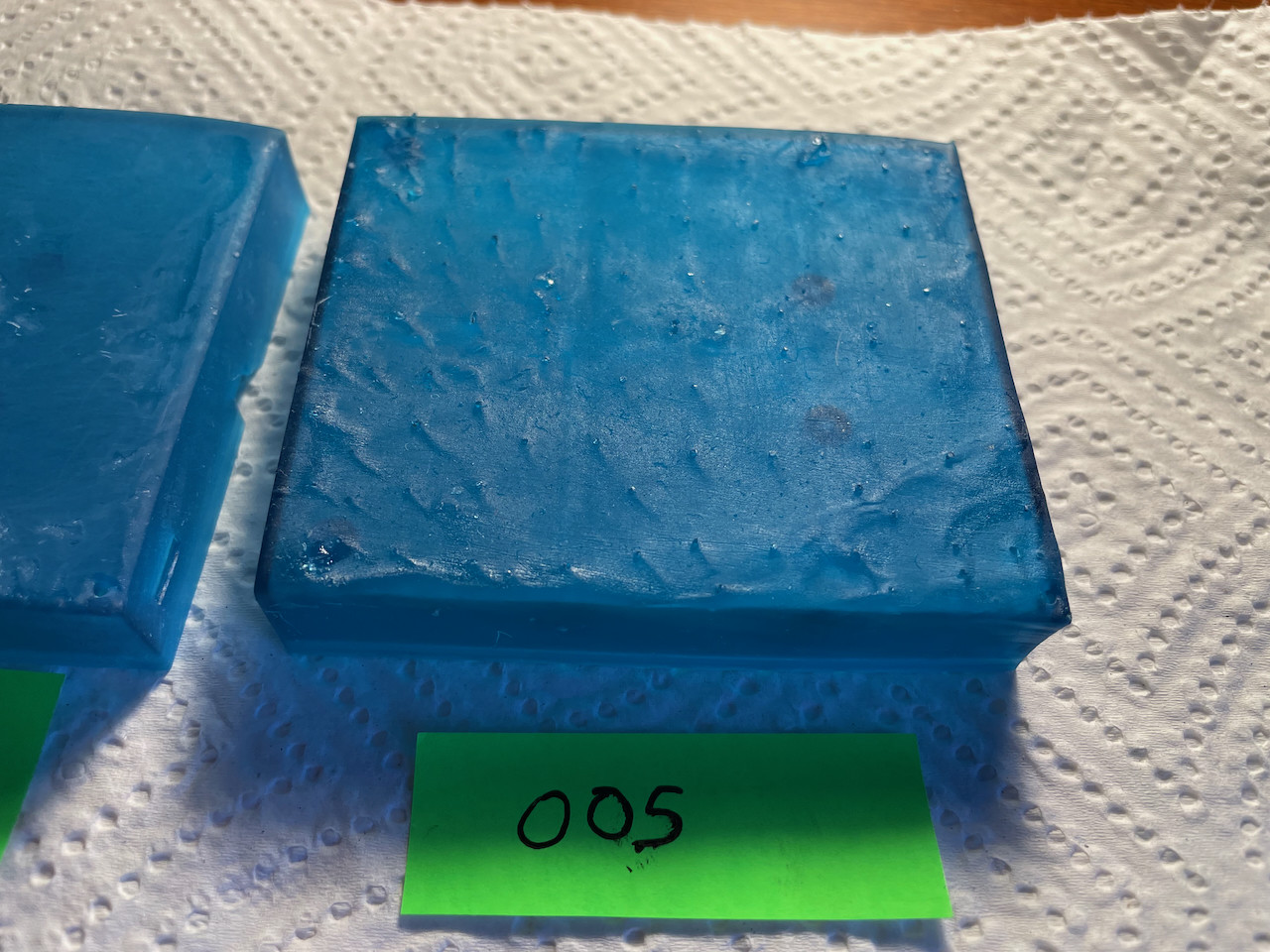
Print 004 was promising, but had a rounded (drooping) corner and signs of pooling on the top of the rectangle. For print 005 I added more supports to that corner, thinned the rest out to increase drainage, and reduced exposure in hopes that this would avoid 'freezing' resin on the upper surface.
I seek advice on this pooling problem. Photo below. Print 005 shows 'waves', much like windswept water, 'above' each support point. The interior surfaces which were "face down" during printing are all pleasingly smooth and planar.
Elbow grease and 220-320-400 sandpaper can produce a more finished look; print 004 has been sanded and is on the left edge of the photo. But I really should only need to do a very light sanding, and then only to buff out tiny remnants of the supports, correct?
These objects were printed with 5mm lift and ~35 deg. tilt on both X and Y, lower-right corner first, upper-left last.
After reviewing my post, I suspect I need a lower exposure time.. but.. those drop-outs..
Thanks for your time, Regards.
PS: I neglected to mention that I do wash the prints before sun-curing them. I remove them from the build plate (with due caution), immerse them in about 2cm of IPA, agitate for 15-30 seconds, remove and rinse with non-chlorinated water.