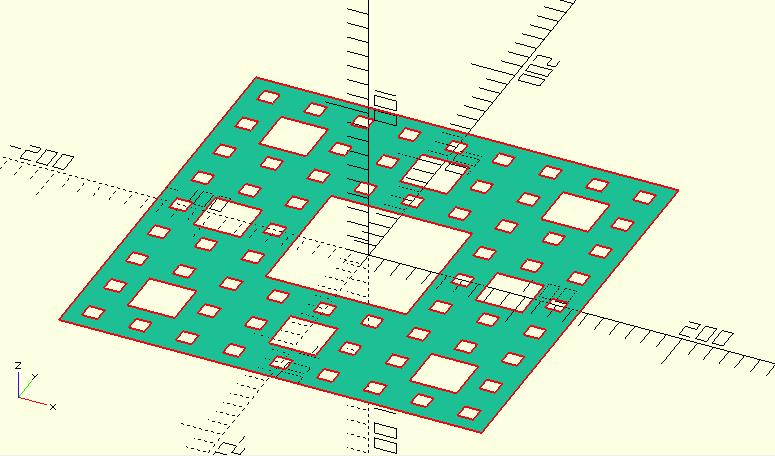
I have created a Mengersponge in OpenScad which is a 3D object. I wanted to get an SVG export from it for the laser cutter but I receive this error:"Current top level object is not a 2D object." How do I select each side of this sponge to export it as SVG for laser cutting?
Code:
module MengerSponge(side = 270, order =3){
    difference(){
        cube([side,side,side],center=true);
        MengerSponge_aux1(side, order);
    }
    }
module MengerSponge_aux1(side, order){
    rotations=[
    [90,0,0],
    [0,90,0],
    [0,0,90],
    ];
    for(rotation=rotations){
        rotate(rotation)
    MengerSponge_aux2(side, order);
        }
}
module MengerSponge_aux2(side, order){
     if(order>0){
        translate([0,-(side-(side/pow(3,order-1)))/2,0])
            for(i=[0:pow(3,order-1)-1]){
                translate([0,(side/pow(3,order-1))*i,0])
                    translate([-(side-(side/pow(3,order-1)))/2,0,0])
                        for(i=[0:pow(3,order-1)-1]){
                            translate([(side/pow(3,order-1))*i,0,0])
                                cube([(side/pow(3,order)),(side/pow(3,order)),side+1],center=true);
            }
        }
        MengerSponge_aux2(side, order-1);
     }
     else{
         echo("Fail");
     }
 }
side=270;
order=3;
MengerSponge(side, order);
```