I'm very new to 3D printing. When my printer was new, I got loads of really good prints, however, now they're all failing.
I suspected that the nozzle was in bad shape, so I replaced it, but even now, the prints are still quite bad.
I suspect that the filament is not coming out properly. (extruding?)
I have a Creality Ender CR6 SE. and I'm using Overture Matte White PLA. I've tried using the default 200 °C nozzle and 60 °C print bed temperatures and I've also tried on the upper end of the recommended temperatures at 230 °C and 70 °C.
I've also tried reducing the print speed to 70 %.
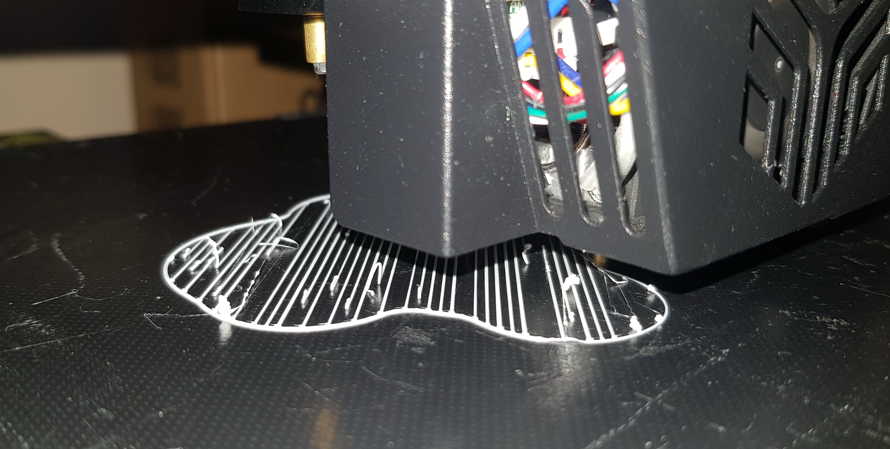
Here is a picture of the first layer of a raft:
And here's a picture of a few layers in (still of the raft):
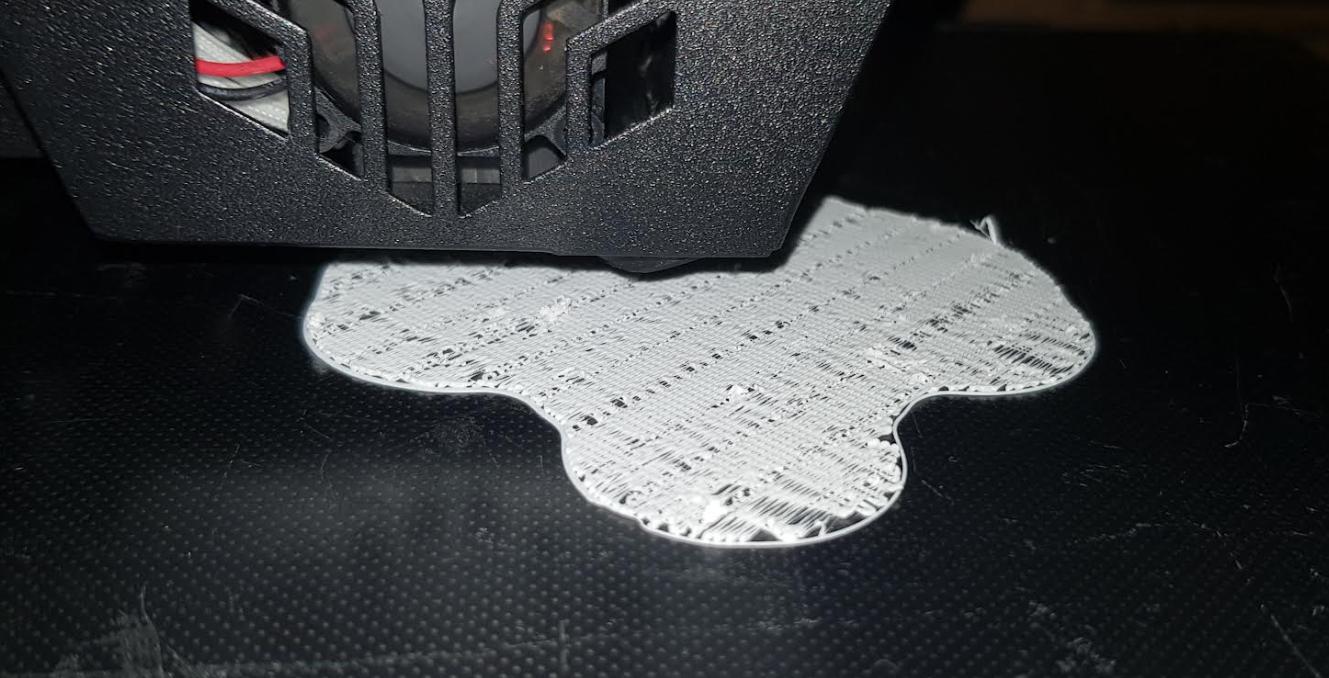
Just before this print I did an auto-level and cleaned the printbed with warm soapy water.
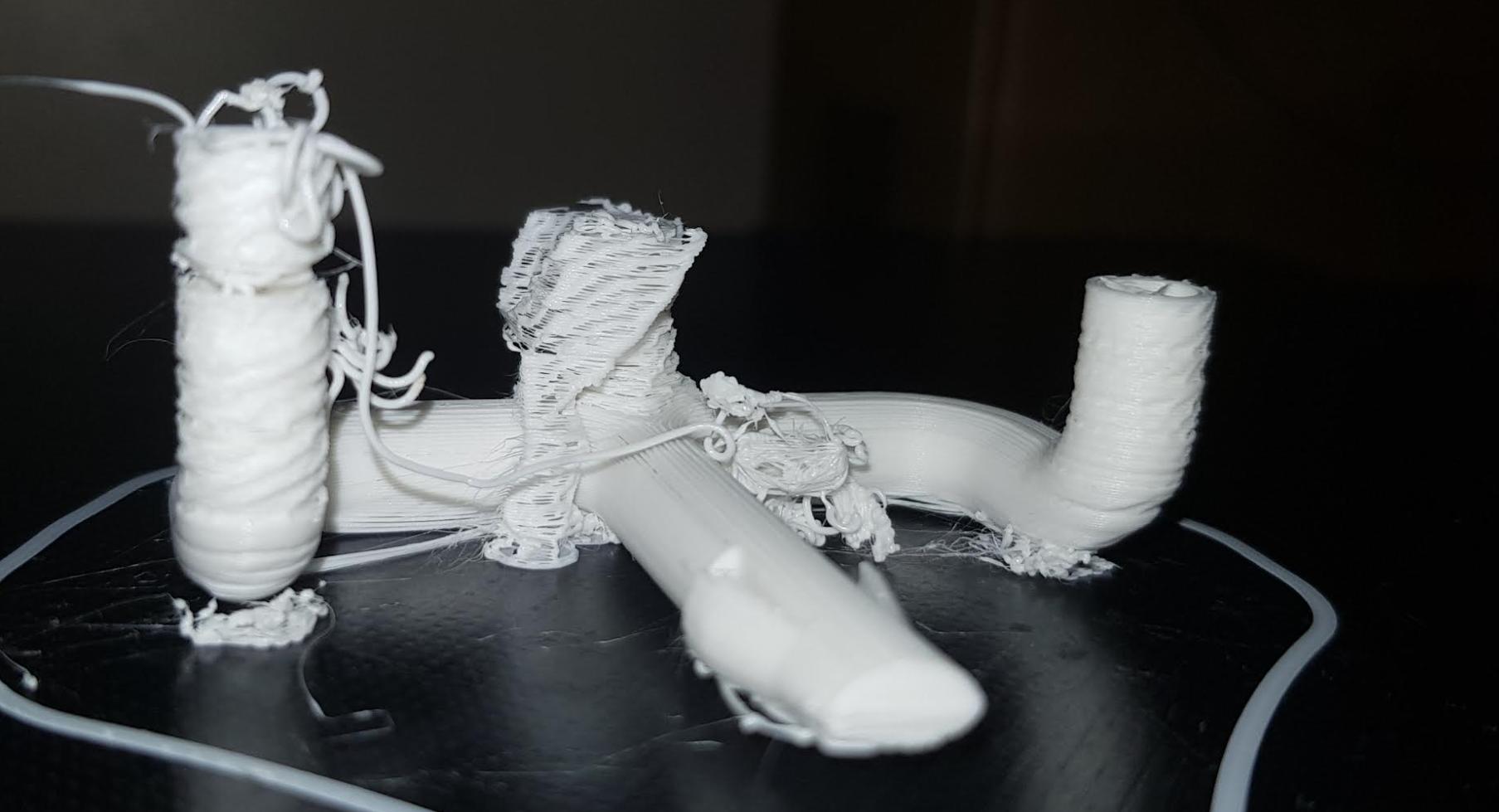
This is the print if I leave it going:
Additional Info: I used the auto-level feature on the CR 6 SE before any of the pictures and used Cura Slicer for slicing.
When using the hairspray method, I managed to get a print out - that print is a 3D Benchy:
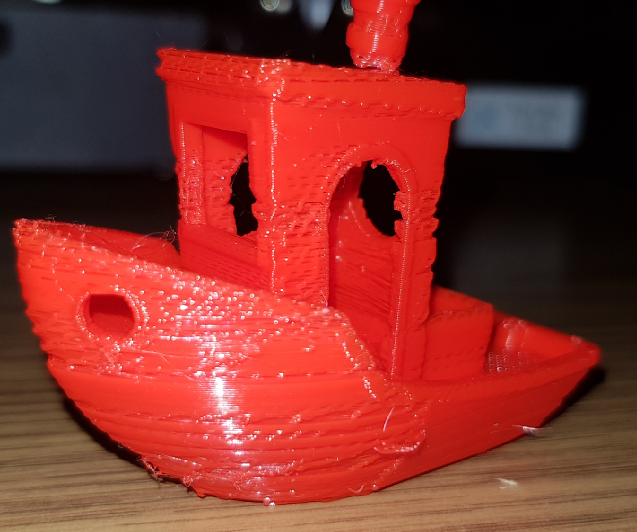
Not looking too good. Also - as you can see, I used a different filament.
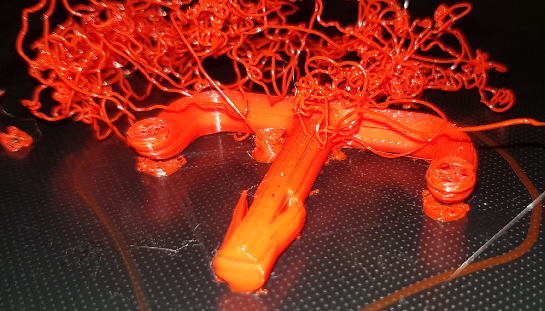
Using the hairspray again, I tried printing this:
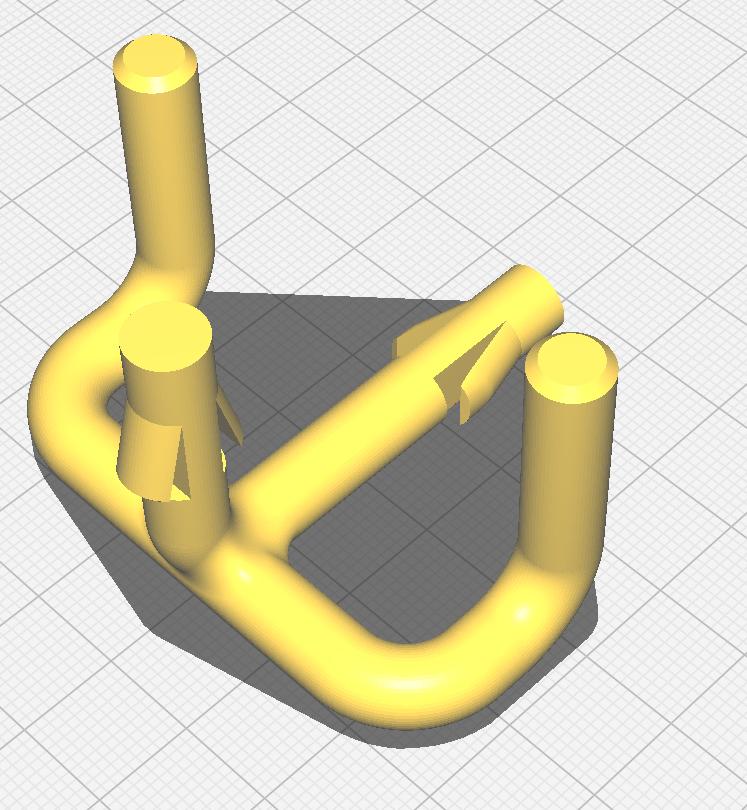
But ended up with this:
UPDATE 3
Ok, So I've found something that's probably not a good thing and I need some advice on it. I think the problem is with the print bed. I found that it can wobble. If I put slight pressure on the front of the bed, the front goes down and the back goes up. Not by much, but there's definite give.
When I print a big circle, the left of the circle is "thinner" than it should be, unless I push down slightly on the print bed. If I do that, then the print thickness on that part of the bed seems to be correct.
However, if I keep that pressure while the nozzle goes around then the print loses adhesion. As soon as I release the pressure and the print bed goes back to what it was, then the print regains adhesion (on that side).
However, if I leave it like that, then the nozzle will be too close to the bed on the other side again.
Now I know. This is a tramming (leveling - are these words completely synonymous?) issue, but when I paid extra for the auto-leveling with the Ender CR6 SE, I paid that extra so that I wouldn't need to mess around with stuff like this. Is this money wasted?
Print nozzle too close on the left, too far on the right:
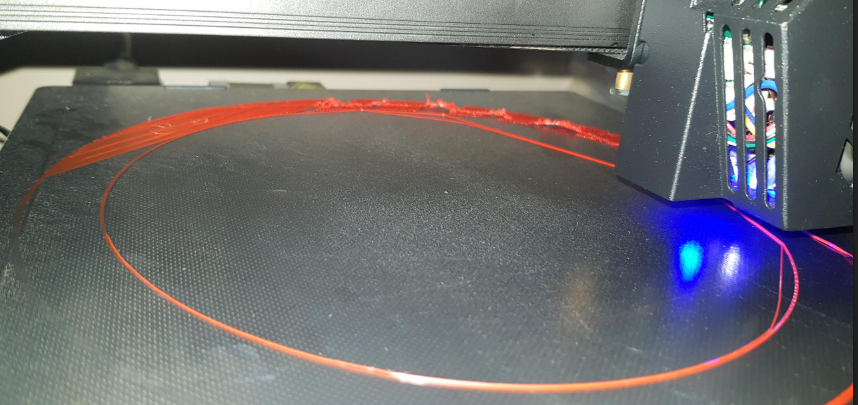
Should I contact Creality and try to return the printer and get a cheaper one that I'm going to have to manually level/tram anyway?


