NEW UPDATE BELOW
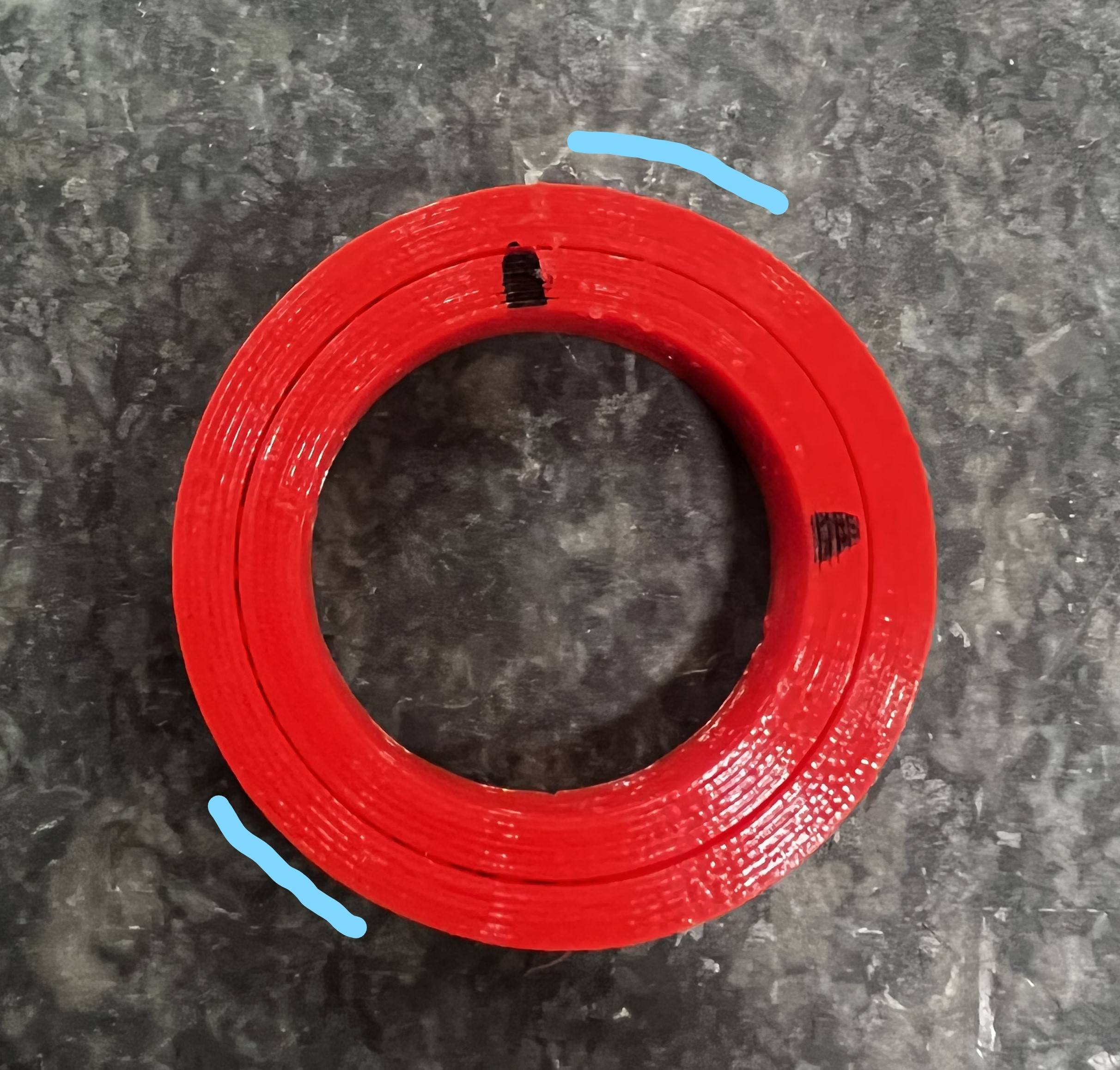
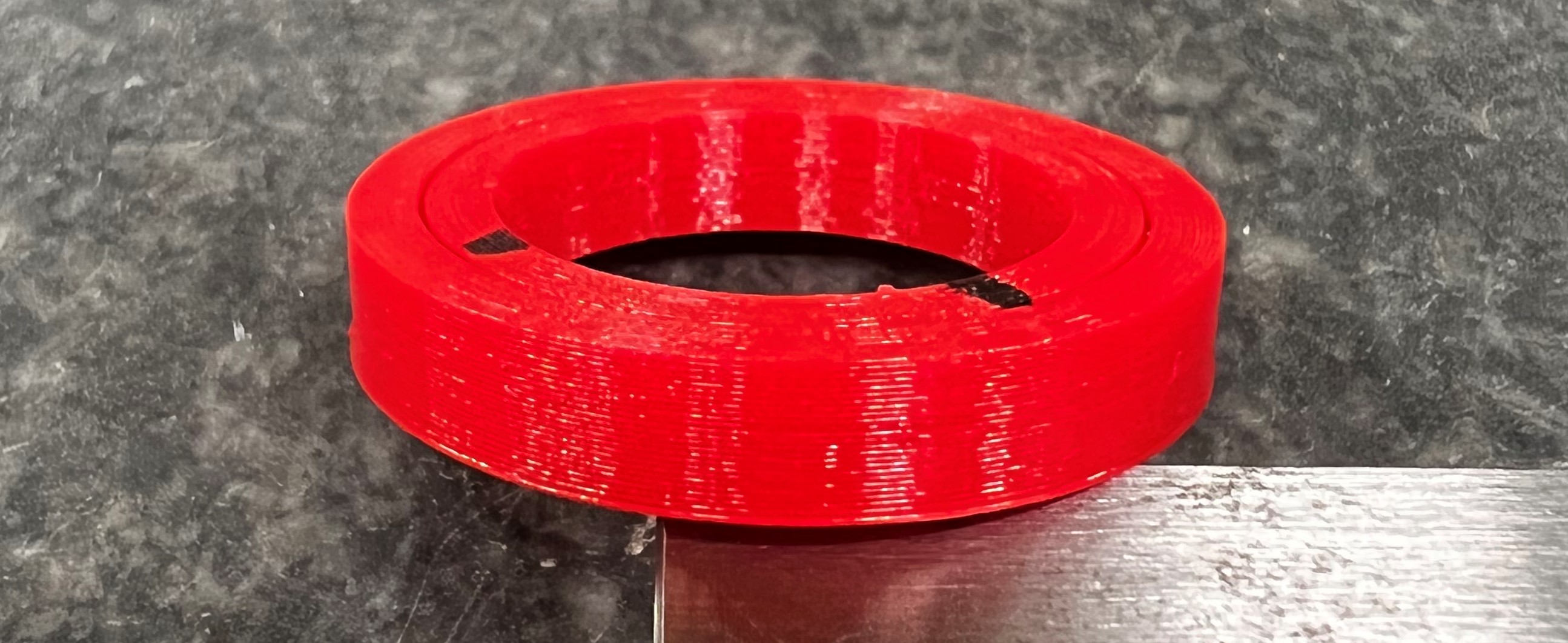
I am having trouble finding the cause for this under-extrusion at start/end of each layer. Something changes halfway into the print creating a visible seam at some specific layer height.
This also creates dimensional inaccuracy making my parts unusable.
The first layers are just fine - roundness deviation around 0.03 mm!
Any ideas on which settings I should look into?
Settings
Printer: Dremel 3D45 (newest firmware)
Slicer: Dremel DigiLab (also tried Cura Ultimaker 5.0)
Filament: PET-G
Printing Temperature: 250 °C
Initial Temperature: 240 °C
Final Temperature: 235 °C
Flow: 105 %
Retraction Distance: 1 mm (tried 3 - 1 mm)
Retraction Speed: 40 mm/s (tried 60 - 20 mm/s)
Prime Amount: 0.6 mm³ (tried 0 - 0.6)
Retraction Minimum Travel: 0
Retract at Layer Change: Off
Maximum Retraction Count: 90 (could this be a problem?)
Minimun Extrusion Distance Window: 1 mm
Print Speed: 35 mm/s
Wall Sprint Speed: 30 mm/s
Combing Mode: All
Fan Speed: 50 %
Seam: Shortest
Update 18/05
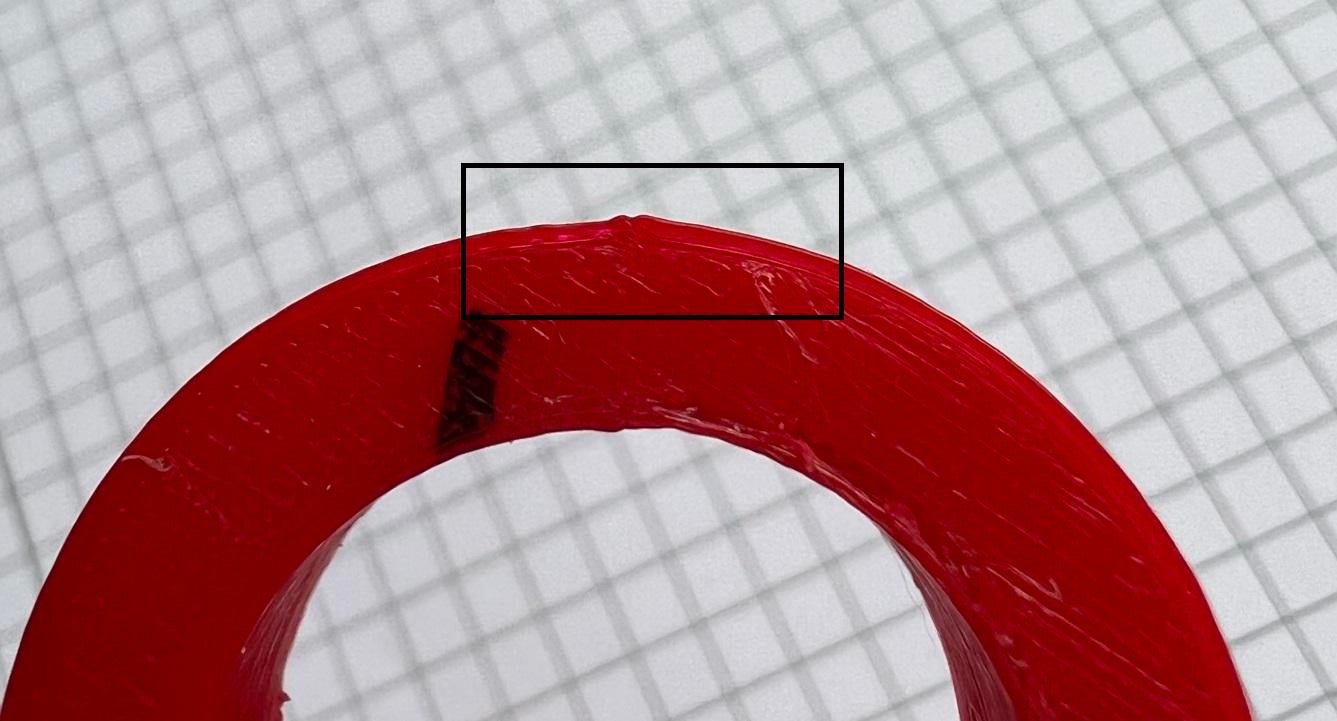
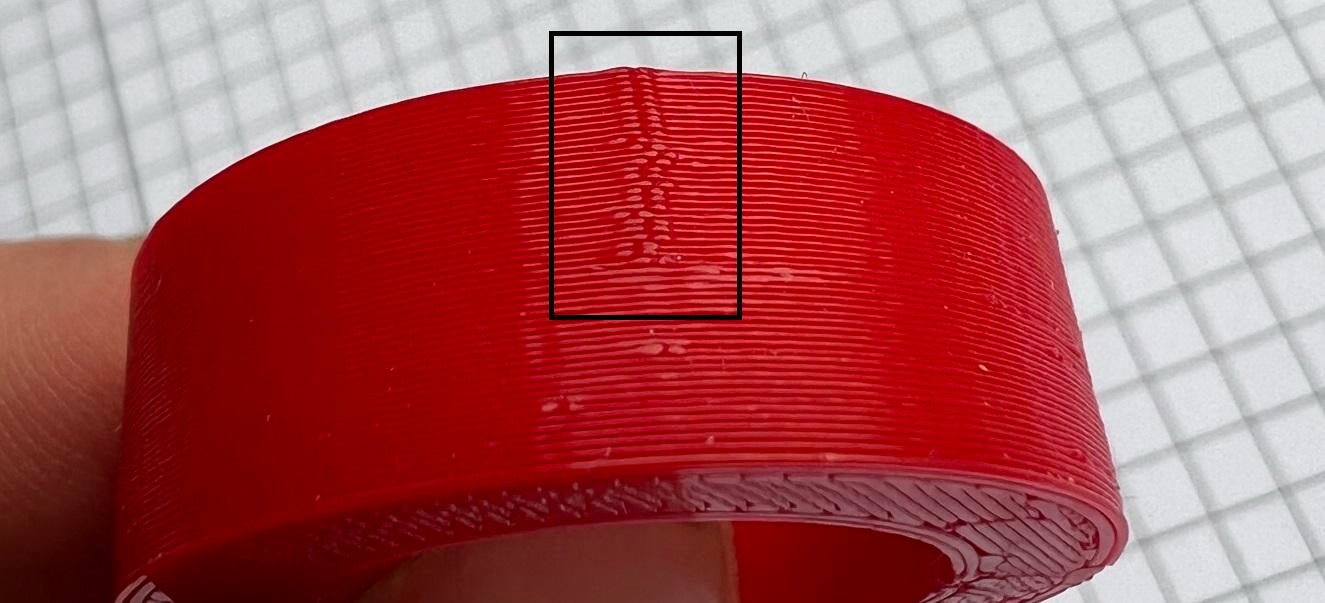
Fixed the seam by setting the alignment to random and changing retraction settings.
Remaining problem is the inaccuracy right next to the Y axis (see marked area on the pictures). Besides a hardware issue I cant think about any slicer setting which would adress this deviation.
Diameter X: 30.02 mm
Diameter Y: 30.04 mm
Diameter Marked: 29.90 mm