I remember seeing someone use a shortcut in NetBeans to open a dialog similar to phpStrom that can open files based on class names or is it file name. whats that?
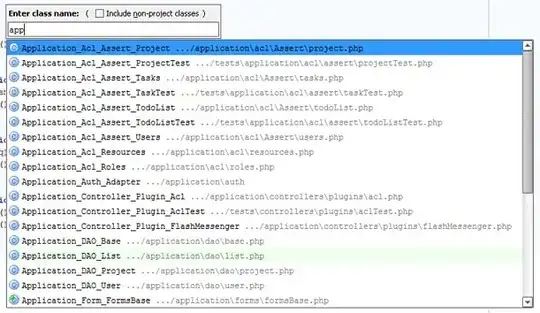
I remember seeing someone use a shortcut in NetBeans to open a dialog similar to phpStrom that can open files based on class names or is it file name. whats that?
Updated
I'm fairly certain you are referring to the "Quick File Chooser" plugin. As someone else points out, though, there are several other candidates. I list them below...
The Quick File Chooser Plugin:
By default CTRL-SHIFT-O opens the Open Project dialog, and once the plugin is installed, you will get the dialog pictured here automatically:

(The Quick File Chooser plugin replaces the default open project dialog with its own.)
When opening a file with the Quick File Chooser plugin, you see this:
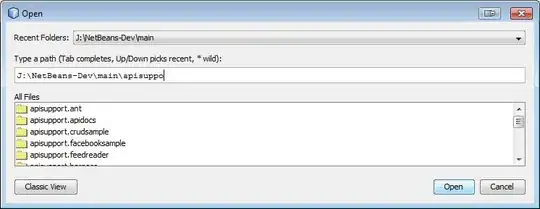
I did not find that the plugin was able to open based on a class name.
Quick File Chooser is available through the NetBeans Plugin Portal. You can also install it directly from within NetBeans versions 7.1 and 7.3 if you have the "Plugin Portal" Update Center configured. (See the bottom of this answer for instructions.)
NetBeans Core (no plugin)
By default CTRL-SHIFT-O opens the Open Project dialog, and without the QFC plugin, you will get the default dialog:

The default Open File dialog is this:
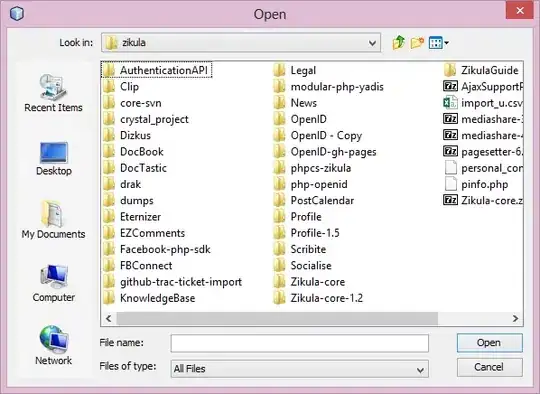
The Open File dialog does not have a keyboard shortcut by default, but you can easily add it:
The Go To... Dialogs:
The Go To... dialogs are provided by core NetBeans, and are available even if the QFC plugin is installed (the QFC plugin does not override them).
The Go To File dialog is ALT-SHIFT-O.
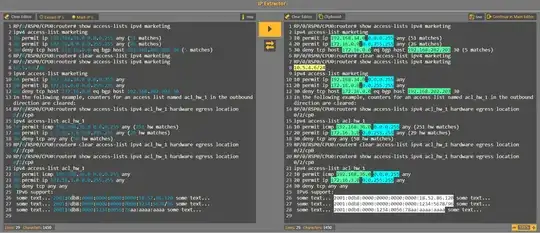
Go To Type: CTRL-O, appears to list classes, variables, and all sorts of stuff.
Go To Symbol: CTRL-ALT-SHIFT-O

For PHP projects, Go To Type and Go To Symbol appear to list the same set. As mentioned, all of these are available on the Navigate menu.
Installing Quick File Chooser from the Plugin Portal Update Center
In NetBeans:

to open a file based on its name Alt+Shift+O.


Hit Ctrl + O to search files based on their 'Class Name'.


I think the simplest solution for this would be ALT+f+o
This will open the file open dialog box, now you can browse through the files and open which-ever file you want or if you have the complete path to that file just paste it in the text-field which says "File name:" and press Enter

I use Ctrl + Shift + O to open this dialog for Java classes.
I don't know if this is also valid for PHP though.
If you just want to open some file based on its name, you can use Ctrl + Shift + L.
Edit:
Both actions are available in the Navigate menu.
This is old and pretty much answered, but you may also try this plugin - works for all up to 8.2:

My shortcuts different from answers above (don't know why).
To me its Alt + Shift + L, Or Navigate->"Go to File".
To search by type its Alt + Shift + O or Navigate-> "Go to Type" (you can see the shortcut in front of it)
It did not require me to install any plugins BTW. Netbeans version: 8.2

The best way to search and open file in netbeans:
Press ctrl + o and type file name you are looking for, it will search in current projects and list matching files thn you can select file and open.
Another way is to use open file fast plugin. it got two matching modes, smart (like in textmate) and exact.

The best way to open the file without any plugins is to use Alt + Shift + O, then netbeans will offer all the available files with your given keywords.
I do also believe the answer from @faisalbhagat must be the accepted answer as @Thor mentioned above!


