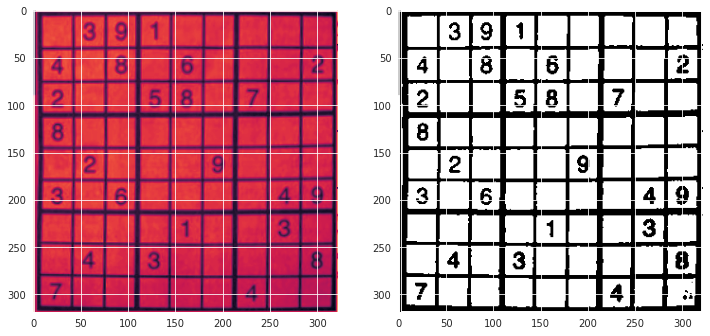
I am trying to make a Sudoku solver and for the image recognition I trained a CNN but the problem that I am facing is that I don't know how to make it see a clear distinction between numbers and blank images. (My neural network is trained for MNIST data set only)
For example in a Sudoku like this :
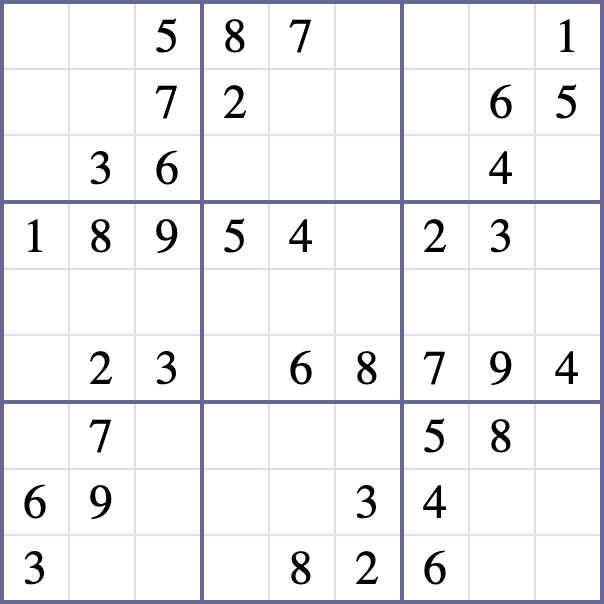
I want the classifier to classify the blank spaces as "0"
Here is what I have already tried:
import numpy as np
import cv2
from PIL import Image
import pytesseract
import matplotlib.pyplot as plt
from tensorflow import keras
#open the image
img = Image.open(r'D:\D_Apps\Sudoku Solver\image\1_9Tgak3f8JPcn1u4-cSGYVw.png').convert('LA')
#take only the brightness value from each pixel of the image
array = np.array(img)[:,:,0]
#invert the image (this is how MNIST digits is formatted)
array = 255-array
#this will be the width and length of each sub-image
divisor = array.shape[0]//9
puzzle = []
for i in range(9):
    row = []
    for j in range(9):
        #slice image, reshape it to 28x28 (mnist reader size)
        row.append(cv2.resize(array[idivisor:(i+1)divisor,
                                    jdivisor:(j+1)divisor][3:-3, 3:-3], #the 3:-3 slice removes the borders from each image
                              dsize=(28,28),
                              interpolation=cv2.INTER_CUBIC))
    puzzle.append(row)
model = keras.models.load_model(r'C:\Users\Ankit\MnistModel.h5')
template = [
    [0 for _ in range(9)] for _ in range(9)
]
for i, row in enumerate(puzzle):
    for j, image in enumerate(row):
        #if the brightness is above 6, then use the model
        if np.mean(image) > 6:
            #this line of code sets the puzzle's value to the model's prediction
            #the preprocessing happens inside the predict call
            template[i][j] = model.predict_classes(image.reshape(1,28,28,1)

                                                   .astype('float32')/255)[0]
print(template)
(read about this in a blog)
This algorithm took the average brightness and checked if the other cells had brightness less than 2 and classified them as blanks.
But this algorithm dose not work if the image did not have a white background for example the output for this image:
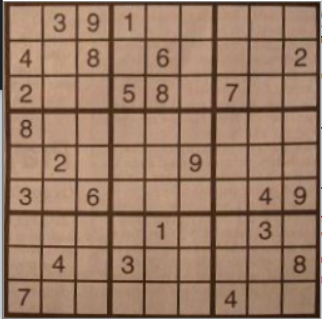
the output was :
[[7, 7, 0, 7, 7, 7, 1, 7, 1], [2, 1, 8, 1, 8, 1, 1, 0, 8], [7, 7, 1, 8, 8, 1, 7, 7, 7], [7, 1, 1, 1, 1, 1, 1, 0, 1], [7, 7, 1, 1, 7, 8, 1, 7, 7], [8, 7, 8, 1, 7, 7, 7, 4, 9], [7, 1, 1, 1, 1, 0, 7, 8, 7], [7, 4, 7, 8, 8, 7, 7, 7, 4], [2, 7, 7, 7, 8, 0, 4, 7, 7]]
What can I do to improve this? Should I retrain my model to work with other image colors? Or Should i retrain the model with blank spaces? If so how can I find the dataset? I have done a lot of research but can't find a clear answer to my questions