First I thought that the model was improperly modeled due inverted faces or any missing line to close that faces but, I rendered the same STL to be printed 0.4 nozzle with height 0.2mm and looks pretty well.
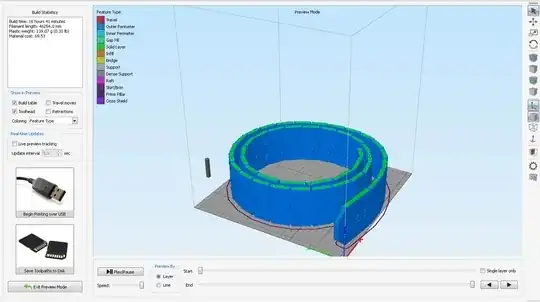
Then I suspected that you were trying to print with 0.4 nozzle at 0.6 layers, which this is totally wrong but, I decided to set the 3D simplify and do the test. The program just show a warning about first layer height adhesion, the click OK and the part is rendered correctly.

However the recommended settings for a 0.4 nozzle should be less than 80% diameter = 0.32mm as maximum to get a proper bonding.
So, I think that you need to download the part and render it again. The time to process this render under XP with an small PC last for 5 minutes. So on bigger PC's will be faster.
Here is the link where I downloaded the "belt Komplett 805"


