To solve this problem, I tweaked the following:
Infill Pattern: Some patterns tend to be more solid than others, going back to Grid instead of Cubic ensuring that there is a solid base for infill to avoid layer shift in infill as Cubic infill is printed in a slanted angle.
Infill layer height: It seems that the CR-10 Smart is unable to print 0.32 mm infill layer height.
Lowering infill speed: going from 75 mm/sec to 50 mm/sec as 75 mm/sec infill speed was too much for the extruder as it was unable to keep up with the speed so you will start to notice under-extrusion on the inside of your part, This under-extrusion will tend to create weak, stringy infill since the nozzle is not able to extrude as much plastic as the software would like.
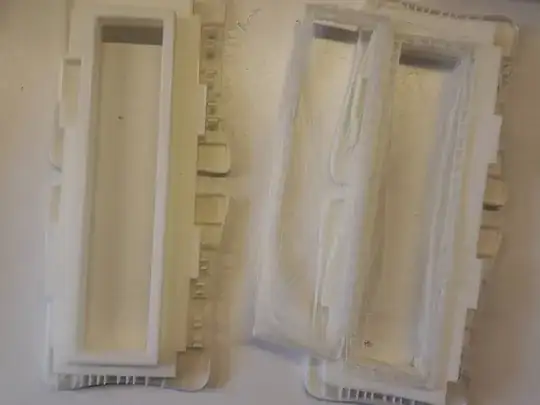
Attached below the difference between 0.16 mm infill layer height on the right, the model is sturdy and strong.
0.32 mm infill layer height on the left, the model is weak and stringy.
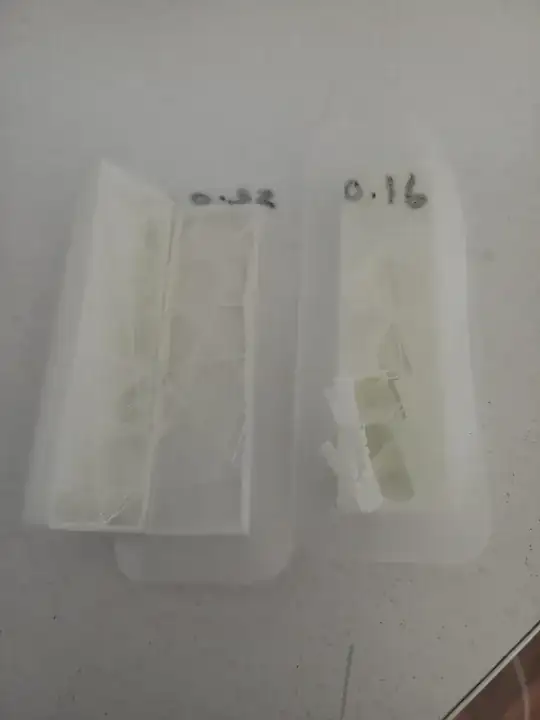
On my try to print a large scale print the same problem occurred, very weak infill, which drove me crazy !
Addressing the real problem "Under-Extrusion" .. testing extruder I noticed that there is a crack on the feeder box
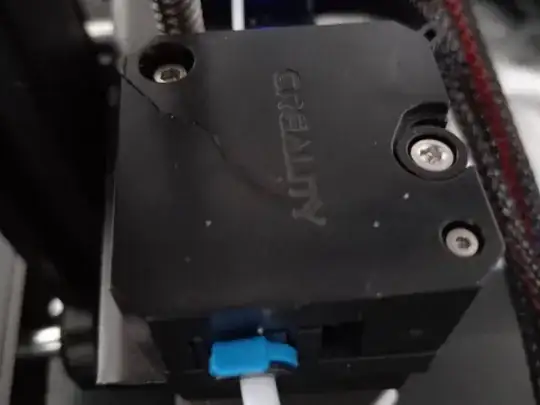
In my opinion it's a bad decision to go for plastic for the feeder, their design uses the lever to shift the plastic box which has the idler pulley (fixed on it) to relieve the pressure on filament.
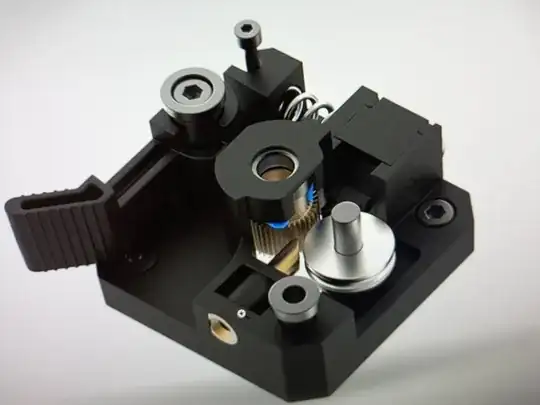
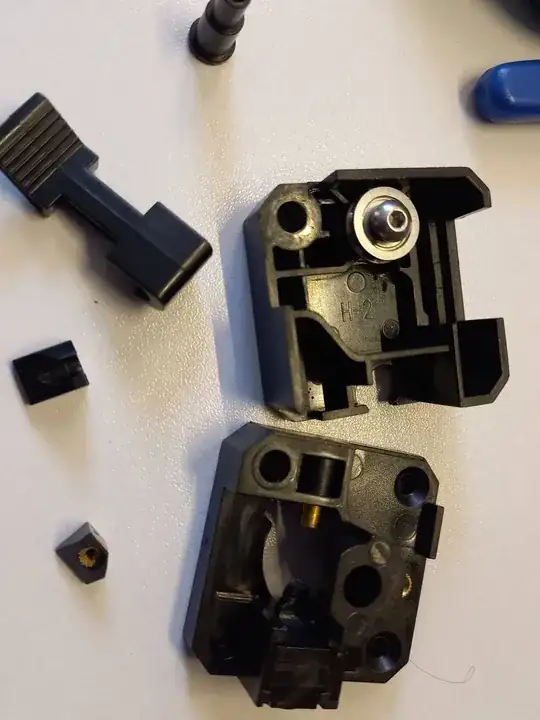
The crack on feeder weakened the grip on filament, causing slippage making the filament to be extruded too thin, which made the filament too weak to stick to each other.
Changing extruder to aluminium kit feeder with tight grip on filament ensured that filament is pushed correctly without slipping and also stopped stringing while nozzle is heating.
Print on left after applying the fix.
Hopes this save someone's the trouble.


