2

I am new on 3D printing, but I cannot understand how support structures (in Ultimaker Cura 4.4.1) can stand if they do not lay on anything, but air. Throwing everything away after 9 hours of printing is not a good experience, did I do anything wrong?

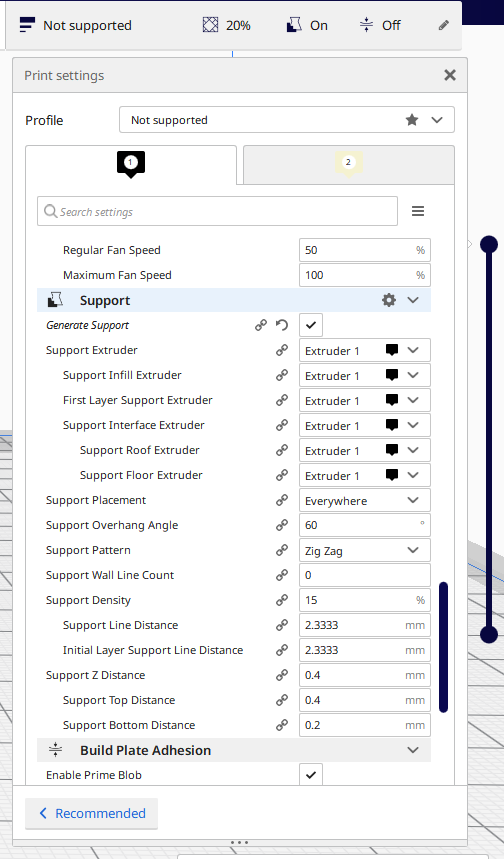
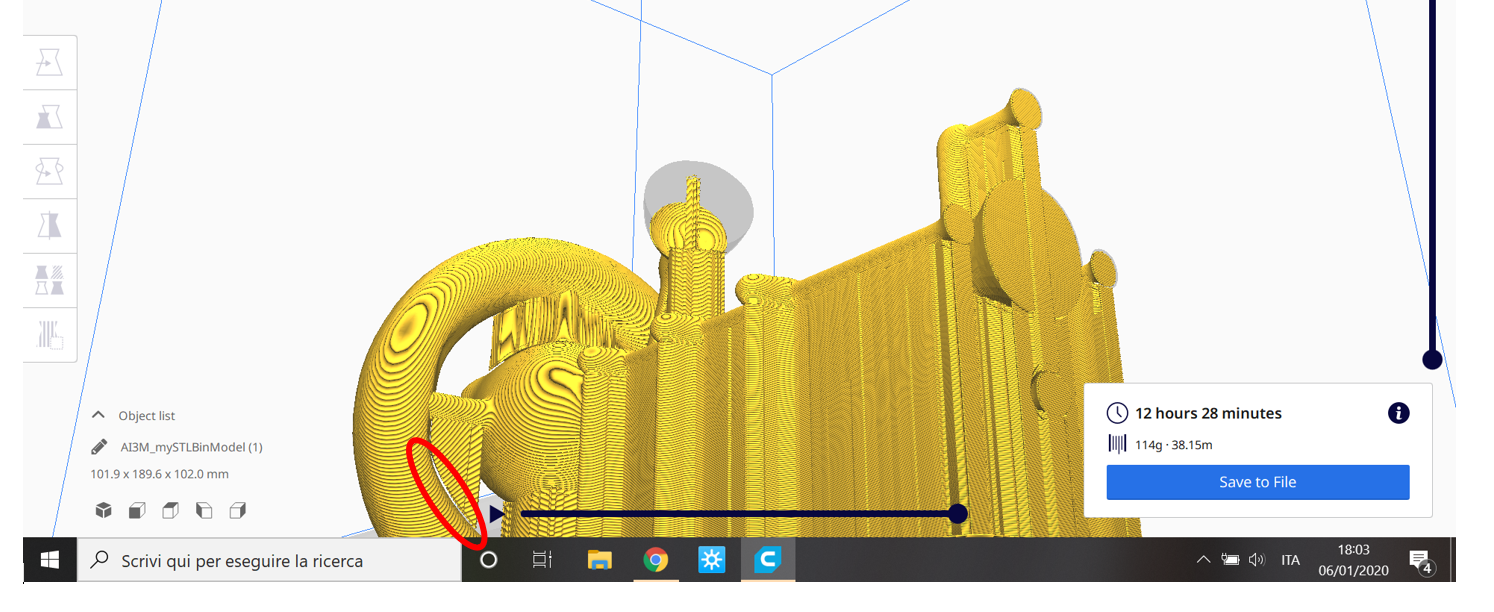
In the attached screenshots images of the sliced model and Cura settings for support structures are shown.
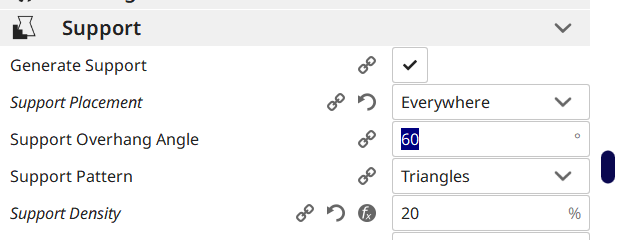
enter image description here

enter image description here

enter image description here

Demonstration of the issue

Here some pics of the real printing results at 50 %-60 % of the work done. One of the two critical supports was barely done while other one, the same encircled in the slicer model, was not. I saved the printing attaching with some glue an "L" shaped piece of cardboard.
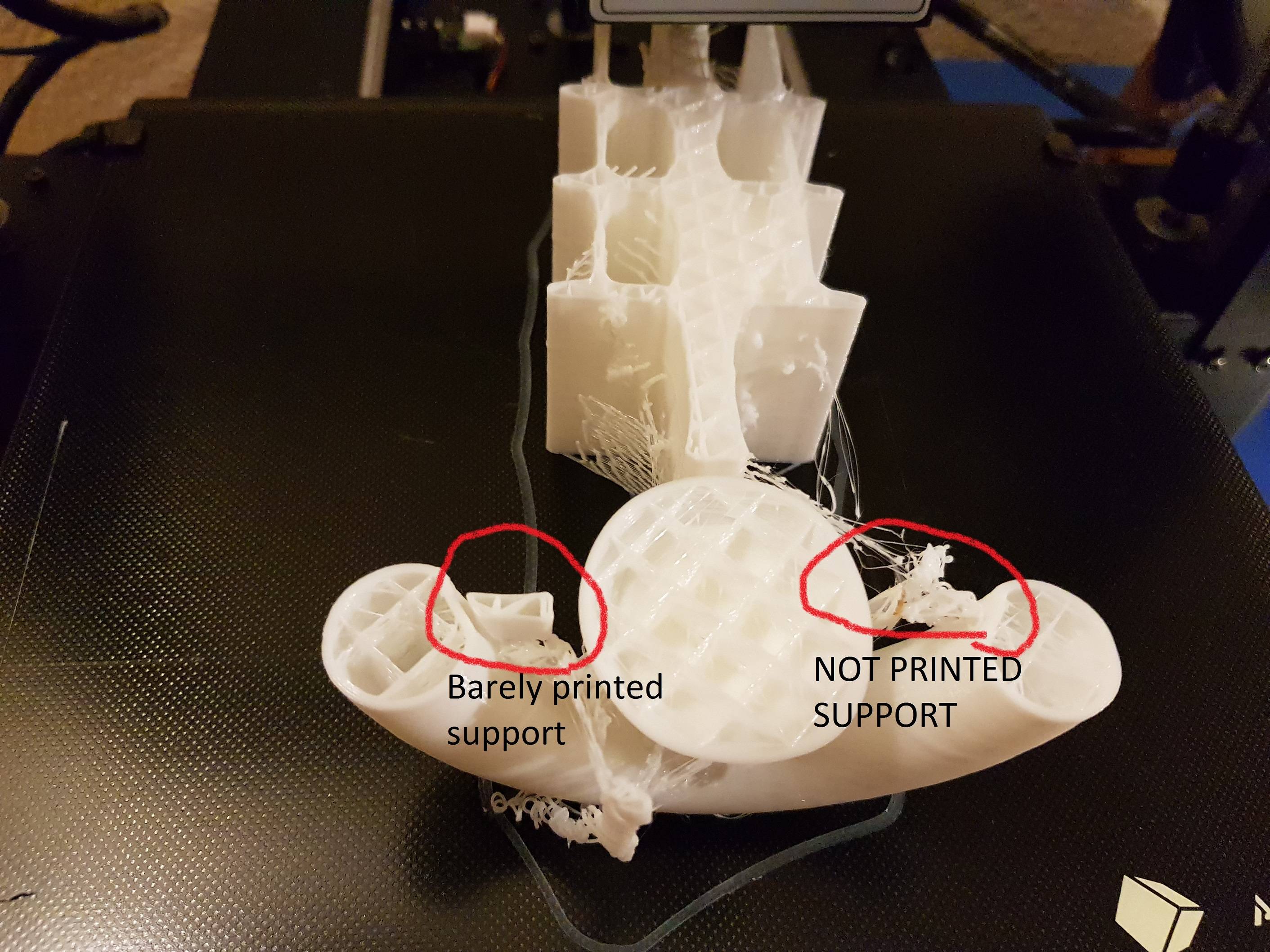
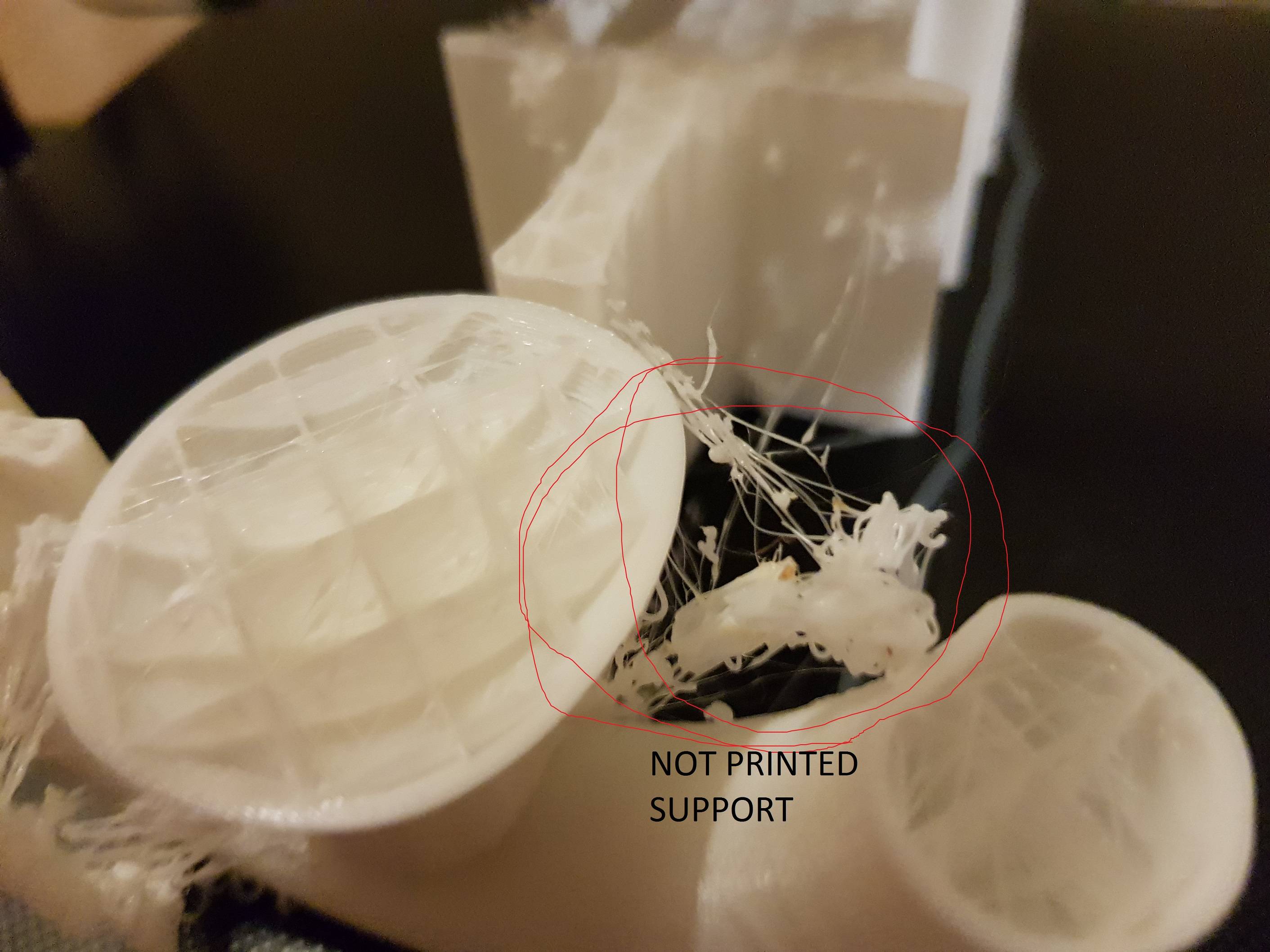
two critical support structures one barely done, the other one not detail of the not done support structure

UPDATE 11/01/2020

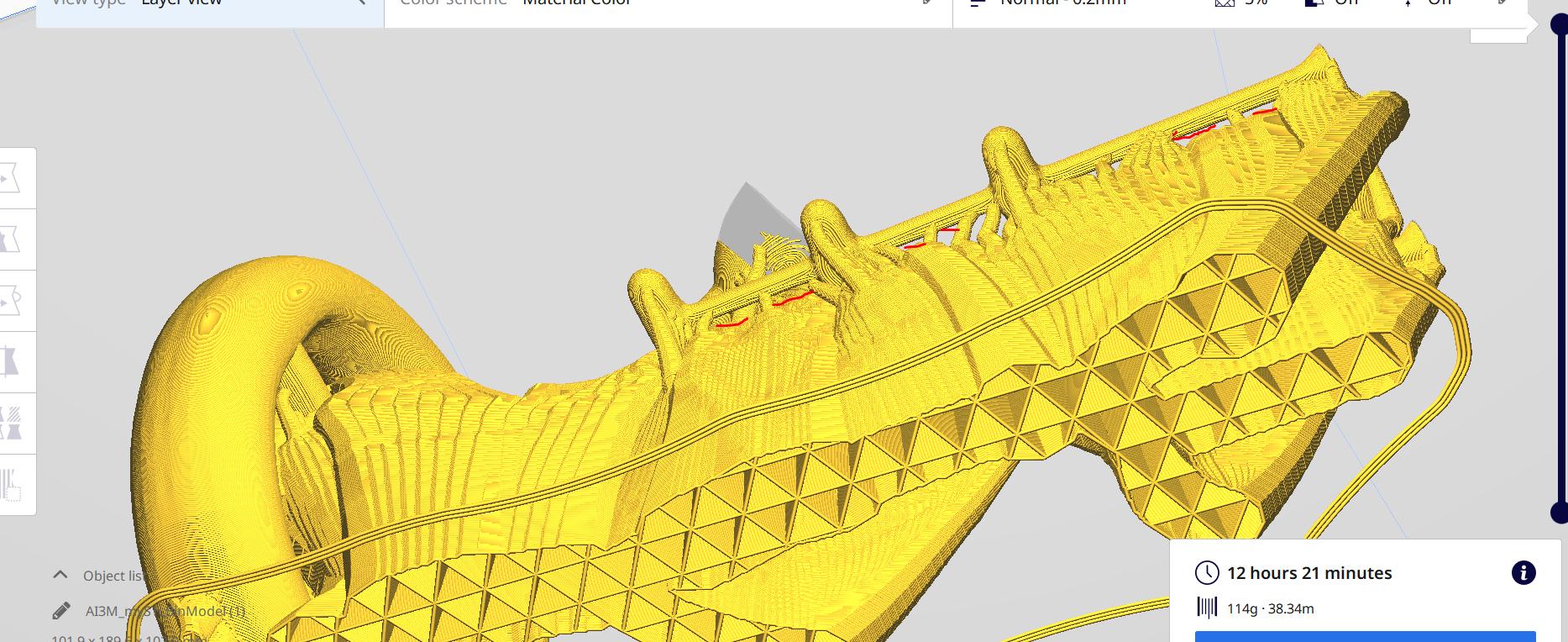
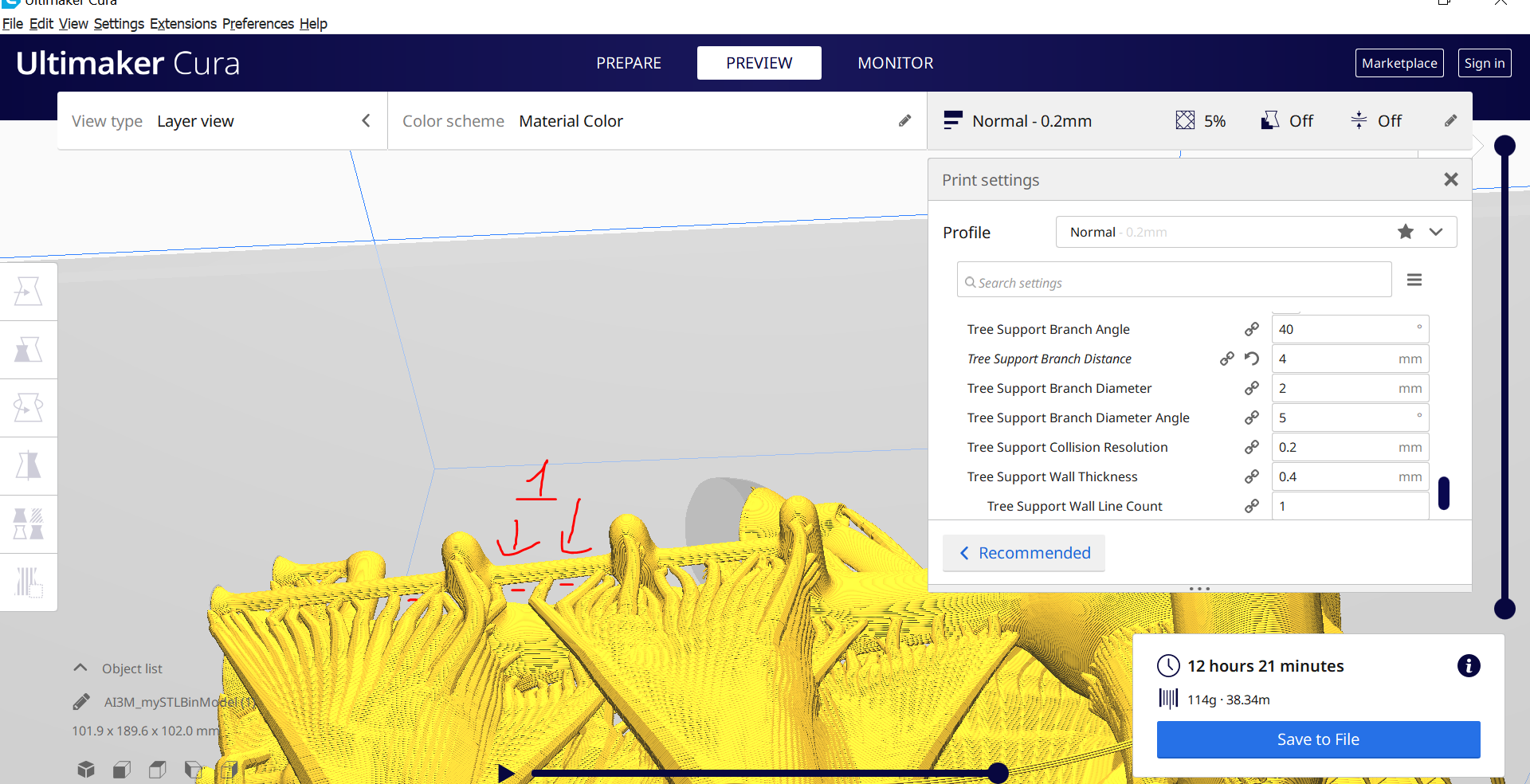
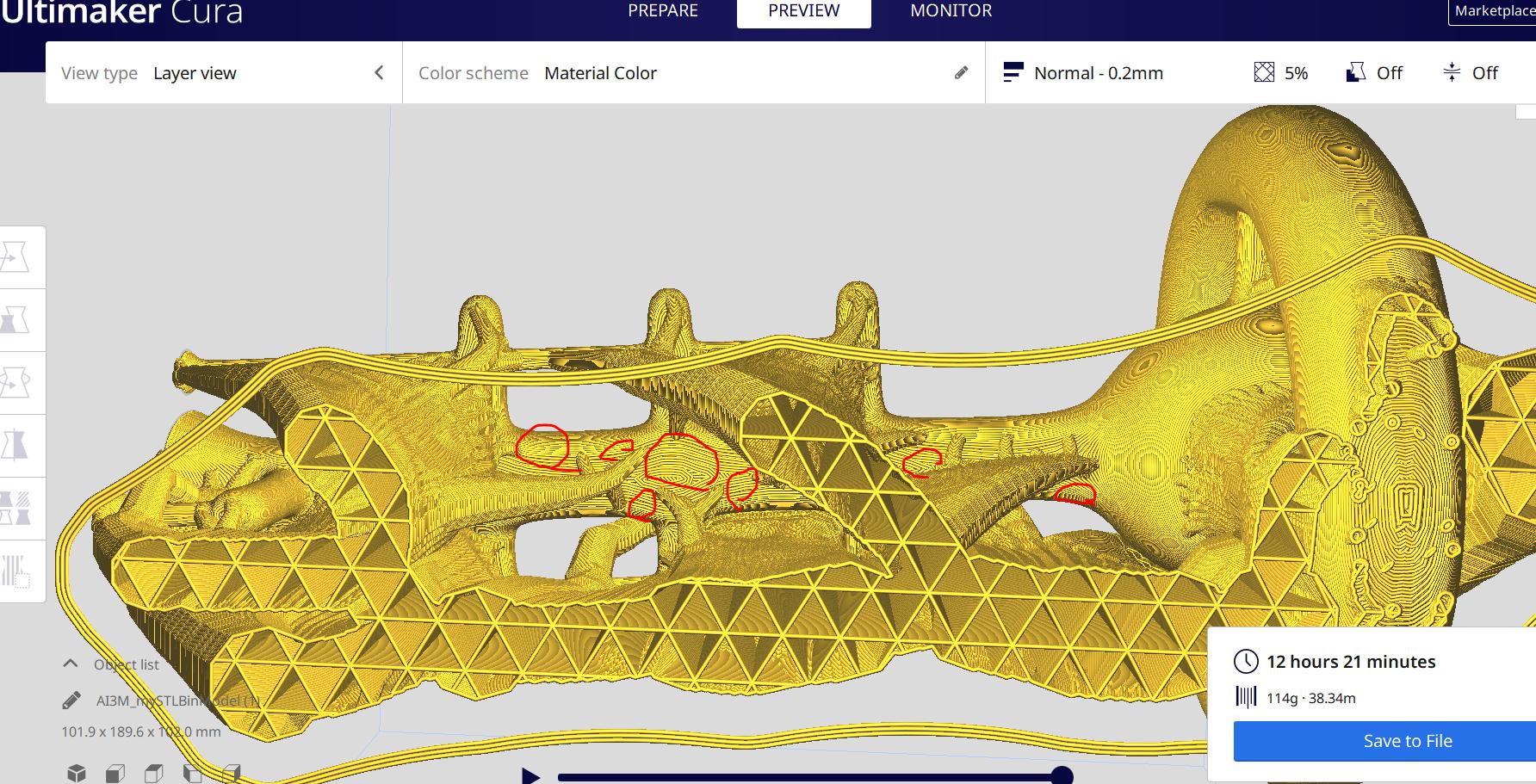
The tree support option greatly failed, but if anybody could suggest different settings I will be happy to try and report here an update. These are some screenshots:
enter image description here enter image description here enter image description here

I've highlighted with red pencil the horizontal pieces of structure supported by nothing. I have to say anyway that the resulting model is worth to Moebius, could be an alien spaceship it-self!!!

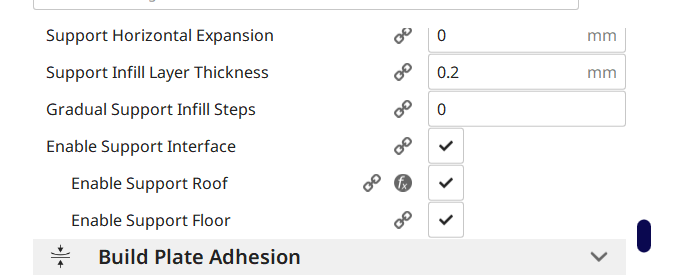
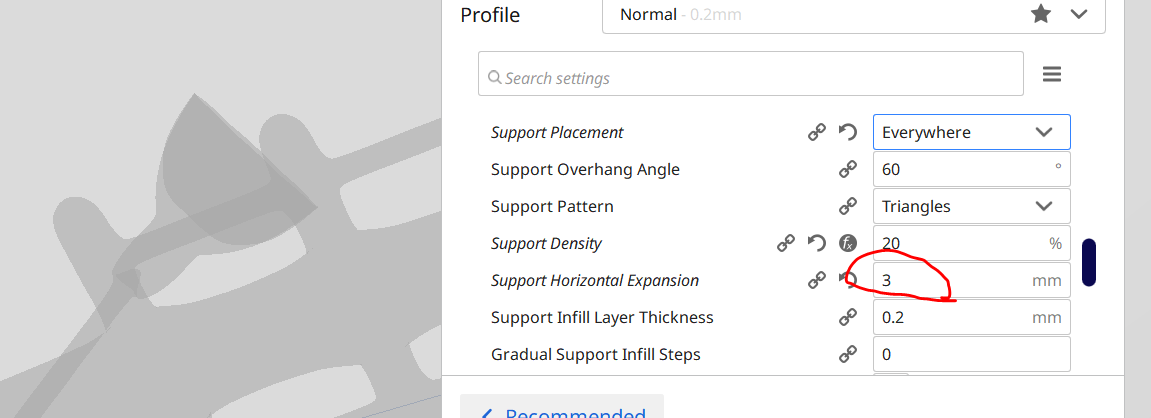
I have partially fixed the problem setting the support horizontal expansion to 3 instead 0 mm as suggested by a more skilled friend. Anyway, this is clearly a workaround of an intrinsic bug that appears just with Anycubic printer setting and not with other printers configuration. The drawback of using 3mm instead 0mm is that the supports become too strong and some of them completely envelop model parts.
enter image description here

fede72bari
  • 121
  • 1
  • 4

1 Answers1

3

The image of the sliced print part is not very clear but printing support on air is a feature of Ultimaker Cura. This is done when support is laid on top of your print part if you enabled Support Placement to Everywhere, which you did. The default Cura setting for Support Bottom Distance (which is a sub-setting of Support Z Distance) is the layer thickness specified in Layer Height. If you have a layer height of 0.2 mm, the Support Bottom Distance is also 0.2 mm. For the top, option Support Top Distance this is two layer heights, so 0.4 mm in this example. These options are visible in the expert mode, you can search for them in the search box, see image below.

Why should you want air in between your part and the support?

You'll soon find out when you want to remove supports, if no gap is used, the support will fuse to the print part. This is only interesting (no gap between print part and support structure) when you use a different filament for support like PVA or break-away filament; e.g. PVA dissolves in water.

enter image description here


Note on the updated printed part images, you seem to have a stringing issue that needs to be resolved first. Note that it tries to print support on top of inner side of the toroid. Maybe fusing the support will help you to slice better supports, or alternatively set option Support Placement to Touching Buildplate and use an experimental option called Tree Support. You can also try to change the print orientation by rotating the print. Last resort is to design the supports yourself in a 3D model software program.

0scar
  • 37,708
  • 12
  • 68
  • 156